COMPLETE GUIDE: HOW TO USE AMAZON AWS STEP BY STEP
Table of Contents
- Introduction to Amazon Web Services (AWS)
- AWS Account Creation and Configuration
- Main Services Configuration
- Concrete Examples by Region
- Security Best Practices
- Cost Optimization
- Monitoring and Maintenance
- Region-Specific Use Cases
- Common Troubleshooting
- Resources and Training
1. Introduction to Amazon Web Services (AWS)

Amazon Web Services (AWS) is the world’s most comprehensive and widely adopted cloud platform. Launched in 2006, AWS offers more than 200 full-featured services from data centers globally. This infrastructure enables businesses of all sizes and industries to accelerate their digital transformation.
1.1 What is AWS?
AWS is a cloud computing platform that offers on-demand IT infrastructure, including:
- Compute: Virtual servers, containers, serverless functions
- Storage: Object storage, block storage, archiving
- Database: Relational databases, NoSQL, in-memory
- Networking: Virtual networks, CDN, load balancing
- Security: Identity management, encryption, compliance
- Analytics: Big Data, Machine Learning, Artificial Intelligence
1.2 AWS Global Infrastructure
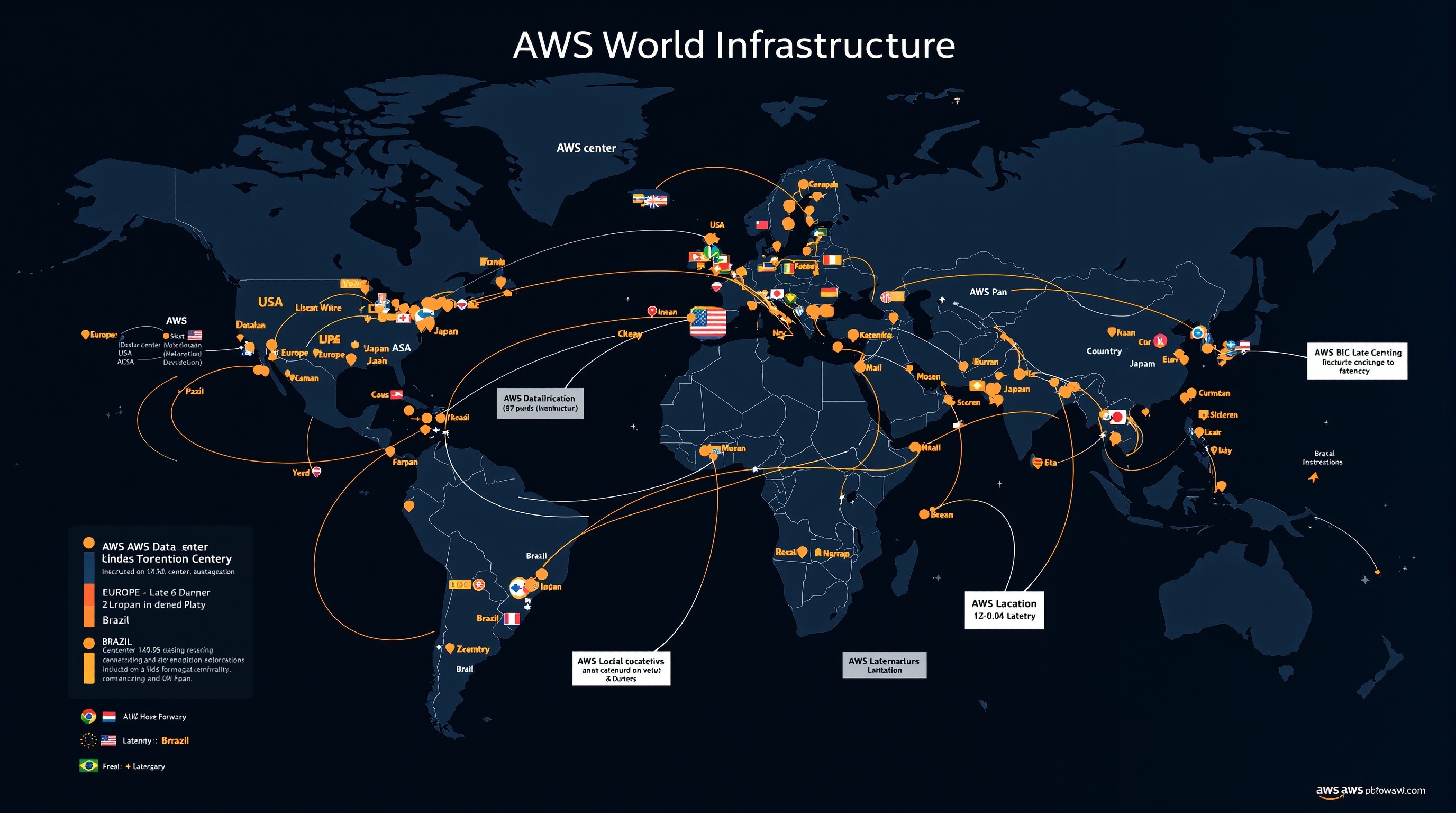
AWS has 31 geographic regions and 99 availability zones worldwide, with continuous expansion plans:
| Region | AWS Code | Availability Zones | Available Services |
|---|---|---|---|
| 🇺🇸US East (N. Virginia) | us-east-1 | 6 | All services |
| 🇪🇺Europe (Ireland) | eu-west-1 | 3 | 200+ services |
| 🇯🇵Asia Pacific (Tokyo) | ap-northeast-1 | 4 | 190+ services |
| 🇧🇷South America (São Paulo) | sa-east-1 | 3 | 180+ services |
1.3 Pricing Models
AWS uses a “pay-as-you-go” pricing model with several options:
- On-Demand: Pay by the hour or second
- Reserved Instances: Up to 75% savings for 1-3 year commitment
- Spot Instances: Up to 90% savings for excess capacity
- Free Tier: 12 months free for new accounts
2. AWS Account Creation and Configuration

2.1 Creating an AWS Account – Step by Step
Step 1: Access AWS Portal
- Go to
aws.amazon.com - Click “Create an AWS Account” in the top right
- Select “Create a new AWS account”
Step 2: Account Information
- Enter your email address (which will serve as the identifier)
- Choose a unique AWS account name
- Create a secure password (12 characters minimum)
- Confirm your password
- Click “Continue”
Step 3: Contact Information
- Select account type (Business or Personal)
- Fill in your complete information:
- Full name or company name
- Complete postal address
- Phone number with country code
- Accept AWS terms of service
- Click “Create account and continue”
Step 4: Payment Information
- Enter your credit/debit card details
- Fill in billing address (if different)
- Click “Verify and add”
Step 5: Identity Verification
- Choose verification method (SMS or voice call)
- Enter your phone number
- Enter the displayed captcha
- Click “Send SMS” or “Call me now”
- Enter the 4-digit verification code received
- Click “Verify code and continue”
Step 6: Support Plan Selection
AWS offers several support plans:
- Basic (Free): Documentation and community forums
- Developer ($29/month): Technical support via email
- Business ($100/month minimum): 24/7 phone and chat support
- Enterprise ($15,000/month minimum): Dedicated support with TAM
To get started, select the “Basic” plan (free)
2.2 Initial Security Configuration
Multi-Factor Authentication (MFA) Setup
- Log in to AWS Console
- Click on your username in the top right
- Select “My Security Credentials”
- In the “Multi-factor authentication” section, click “Assign MFA device”
- Choose device type:
- Authenticator app (Google Authenticator, Authy)
- U2F security key
- Hardware MFA device
- Follow instructions to configure your device
- Test authentication with two consecutive codes
3. Main Services Configuration
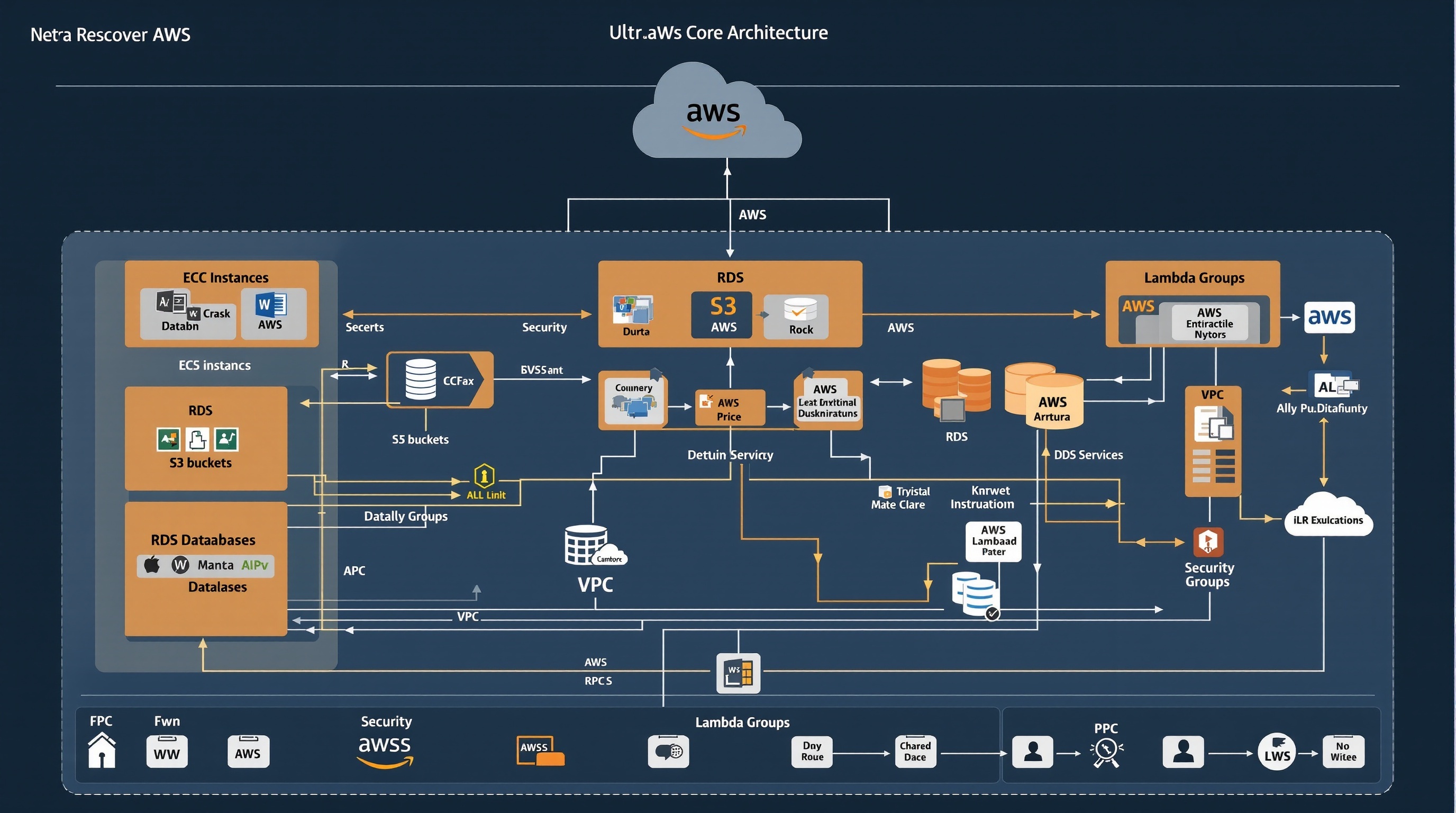
3.1 Amazon EC2 (Elastic Compute Cloud) – Detailed Guide
EC2 provides resizable compute capacity in the cloud. It’s the fundamental service for hosting applications.
Launching Your First EC2 Instance
Step 1: Access EC2 Service
- In AWS Console, search for “EC2” in the search bar
- Click “EC2” under “Compute services”
- Verify the selected region in the top right
- Click “Launch instance”
Step 2: Instance Configuration
- Name and tags:
- Name: “My-First-Web-Server”
- Add organizational tags (Environment: Production, Owner: Your-Name)
- Application and OS Images:
- Select “Amazon Linux 2023” (recommended for beginners)
- Architecture: x86_64
- Verify “Free tier eligible” is indicated
- Instance type:
- Select “t3.micro” (1 vCPU, 1 GB RAM)
- This size is included in the free tier
Step 3: Key Pair Configuration
- Click “Create new key pair”
- Key pair name: “my-first-key”
- Key pair type: RSA
- Private key file format:
- .pem for Linux/macOS
- .ppk for Windows (PuTTY)
- Click “Create key pair”
- Download and securely save the private key file
Step 4: Network Configuration
- Create a security group or use the default one
- Security group name: “web-server-sg”
- Description: “Security group for web server”
- Inbound traffic rules:
- SSH (port 22): Your IP only
- HTTP (port 80): Everywhere (0.0.0.0/0)
- HTTPS (port 443): Everywhere (0.0.0.0/0)
Step 5: Storage Configuration
- Root volume size: 8 GB (free tier maximum)
- Volume type: gp3 (General Purpose SSD)
- Encryption: Enabled (recommended)
- Delete on termination: Checked (to avoid costs)
3.2 Amazon S3 (Simple Storage Service) – Configuration
S3 is an object storage service designed to store and retrieve any amount of data from anywhere.
Creating Your First S3 Bucket
Step 1: Access S3 Service
- In AWS Console, search for “S3”
- Click “S3” under “Storage services”
- Click “Create bucket”
Step 2: General Configuration
- Bucket name:
- Must be globally unique
- Example: “my-website-2024-your-name”
- Use only lowercase letters, numbers, and hyphens
- AWS Region:
- Choose the region closest to your users
- Europe (Paris) eu-west-3 for France
- US East (N. Virginia) us-east-1 for United States
Step 3: Object Ownership Configuration
- Object ownership: “ACLs disabled (recommended)”
- This option simplifies permissions management
Step 4: Public Access Settings
- Block all public access: Checked by default (secure)
- For a static website, uncheck this option later
Step 5: Versioning and Encryption
- Versioning: Enabled (recommended for backup)
- Default encryption:
- Encryption type: SSE-S3
- Bucket key type: Disabled (to reduce costs)
3.3 Amazon RDS (Relational Database Service) – Setup
Creating an RDS Database
Step 1: Access RDS Service
- Search for “RDS” in AWS Console
- Click “RDS” under “Database”
- Click “Create database”
Step 2: Database Engine Selection
- Creation method: “Standard create”
- Engine options:
- MySQL: Most popular, free tier available
- PostgreSQL: Advanced features
- MariaDB: MySQL alternative
- Version: Use default version (latest stable)
Step 3: Templates and Settings
- Templates: “Free tier” (to get started)
- Settings:
- DB instance identifier: “my-first-db”
- Master username: “admin”
- Master password: Auto-generated or custom
Step 4: Instance Configuration
- DB instance classes: db.t3.micro (free tier)
- Storage:
- Storage type: General Purpose SSD (gp2)
- Allocated storage: 20 GB (free tier maximum)
- Storage autoscaling: Disabled
3.4 AWS Lambda – Serverless Functions
Creating Your First Lambda Function
Step 1: Function Creation
- Search for “Lambda” in AWS Console
- Click “Create function”
- Select “Author from scratch”
- Function name: “my-first-function”
- Runtime: Python 3.11 (recommended for beginners)
- Architecture: x86_64
Step 2: Permissions Configuration
- Execution role: “Create a new role with basic Lambda permissions”
- AWS will automatically create an IAM role with minimal permissions
Step 3: Simple Test Code
- In the code editor, replace the content with:
import json
def lambda_handler(event, context):
return {
‘statusCode’: 200,
‘body’: json.dumps(‘Hello from AWS Lambda!’)
}
4. Concrete Examples by Region
4.1 🇺🇸 United States – Tech Startup
Use case: A San Francisco startup developing a mobile application with 100,000 users.
Architecture Used
- Region: us-west-1 (N. California)
- EC2: 3 t3.medium instances
- RDS: PostgreSQL Multi-AZ
- S3: User media storage
- CloudFront: Global CDN
- Lambda: Image processing
Estimated Monthly Costs
- EC2: $150 (t3.medium instances)
- RDS: $120 (db.t3.small Multi-AZ)
- S3: $45 (2 TB storage)
- CloudFront: $30 (data transfer)
- Lambda: $15 (5 million executions)
- Total: $360/month
4.2 🇪🇺 Europe – E-commerce International
Use case: An online store based in Paris serving European customers with GDPR compliance.
GDPR Configuration
- Primary region: eu-west-3 (Paris)
- Secondary region: eu-west-1 (Ireland)
- Encryption: KMS with customer-managed keys
- Logs: CloudTrail enabled on all regions
- Access: IAM with mandatory MFA
Specialized Services
- ElastiCache: Redis cache for performance
- SES: Transactional email delivery
- Route 53: DNS with automatic failover
- WAF: Web attack protection
- Config: Compliance monitoring
4.3 🇯🇵 Asia-Pacific – Mobile Gaming
Use case: Japanese game studio with servers for Asia-Pacific and critical latency requirements.
High-Performance Architecture
- Region: ap-northeast-1 (Tokyo)
- EC2: Compute-optimized C5 instances
- ElastiCache: Redis cluster mode
- DynamoDB: NoSQL database for scores
- GameLift: Managed game servers
Specific Optimizations
- Enhanced networking: SR-IOV enabled instances
- Placement groups: Cluster for low latency
- Auto Scaling: Based on custom metrics
- CloudWatch: Real-time monitoring
4.4 🇧🇷 South America – FinTech Application
Use case: Digital payments platform for the Brazilian market with banking security requirements.
Enhanced Security
- Region: sa-east-1 (São Paulo)
- HSM: CloudHSM for cryptographic keys
- VPC: Isolated network with private subnets
- GuardDuty: Threat detection
- Macie: Sensitive data protection
Financial Compliance
- Audit: CloudTrail with log integrity
- Encryption: All data at rest
- Backup: Cross-region for disaster recovery
- Access: Bastion hosts and VPN
5. Security Best Practices

5.1 Identity and Access Management (IAM)
IAM User Configuration
- User creation:
- Access IAM service in the console
- Click “Users” then “Add users”
- Username: follow a convention (firstname.lastname)
- Access type: Console and/or programmatic access
- Permission assignment:
- Use groups rather than direct policies
- Apply the principle of least privilege
- Create custom policies if necessary
- MFA configuration:
- Enable MFA for all users
- Use mobile authenticator applications
- Configure policies requiring MFA
5.2 Network Security
| Component | Recommended Configuration | Justification |
|---|---|---|
| VPC | Isolated private network with public/private subnets | Complete network isolation |
| Security Groups | Restrictive rules, specific ports only | Principle of least access |
| NACL | Additional subnet-level rules | Defense in depth |
| WAF | Protection against OWASP Top 10 | Web application security |
5.3 Encryption and Data Protection
🔐 Complete Encryption Strategy:
- At rest: Enable encryption on all storage services (S3, EBS, RDS)
- In transit: Use HTTPS/TLS for all communications
- Key management: AWS KMS with automatic rotation
- Backup: Encrypt all backups
5.4 Monitoring and Detection
Monitoring Services
- CloudTrail: API logs and audit
- CloudWatch: Metrics and alarms
- GuardDuty: Threat detection
- Config: Configuration compliance
- Security Hub: Unified security dashboard
Critical Alerts to Configure
- Root account connections
- IAM user creations
- Security group modifications
- Repeated failed access attempts
- Abnormal resource usage
6. Cost Optimization
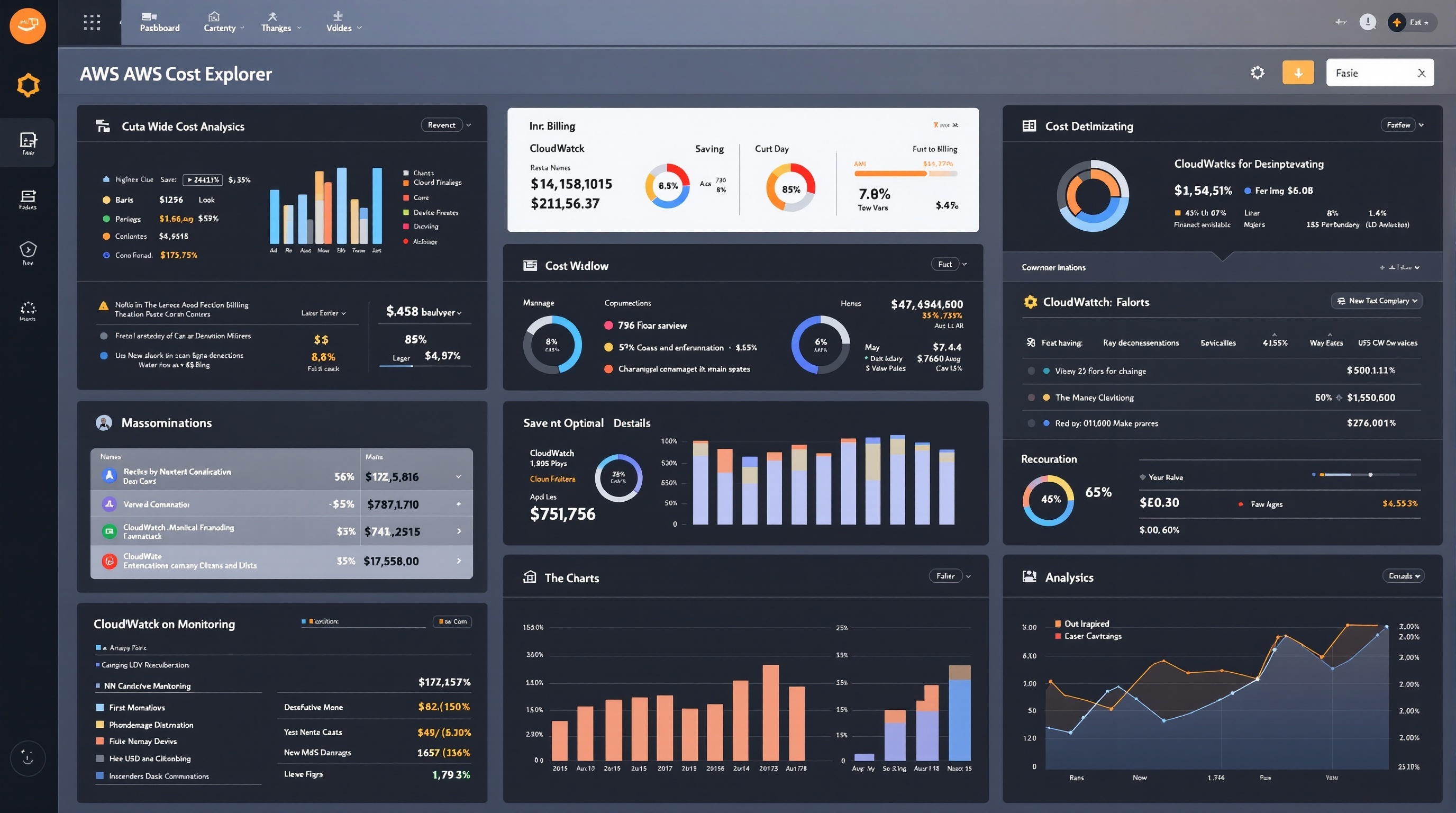
6.1 Optimization Strategies by Service
| Service | Optimization Strategy | Potential Savings |
|---|---|---|
| EC2 |
|
Up to 75% |
| S3 |
|
Up to 68% |
| RDS |
|
Up to 60% |
6.2 AWS Cost Management Tools
AWS Budget Configuration
- Budget Access:
- Search for “Budgets” in AWS Console
- Click “Create budget”
- Budget Type:
- Cost budget: To control total spending
- Usage budget: To monitor service usage
- Reservation budget: To optimize reserved instances
- Alert Configuration:
- Threshold 1: 50% of budget (preventive alert)
- Threshold 2: 80% of budget (major alert)
- Threshold 3: 100% of budget (critical alert)
- Threshold 4: 120% of budget (overspending)
6.3 Cost Explorer and Analysis
📊 Recommended Analyses:
- Monthly: Cost review by service and region
- Weekly: Usage trend monitoring
- Daily: Abnormal spike verification
- Quarterly: Reserved instance options evaluation
7. Monitoring and Maintenance
7.1 CloudWatch Configuration
Complete Monitoring Setup
Essential Metrics to Monitor
EC2
- CPUUtilization (> 80%)
- NetworkIn/NetworkOut
- DiskReadOps/DiskWriteOps
- StatusCheckFailed
RDS
- DatabaseConnections
- CPUUtilization
- FreeStorageSpace
- ReadLatency/WriteLatency
Automated Alarm Configuration
- Access CloudWatch service
- Click “Alarms” then “Create alarm”
- Select the metric to monitor
- Define threshold and period
- Configure actions (SNS, Auto Scaling, EC2)
7.2 Automation with Systems Manager
Automated Server Maintenance
- Patch Manager:
- Patch group configuration
- Automatic update scheduling
- Defined maintenance windows
- Session Manager:
- Secure instance access without SSH
- Complete audit logs
- No need for bastion hosts
- Run Command:
- Remote script execution
- Application deployment
- System information collection
7.3 Backup and Disaster Recovery
| Data Type | Backup Service | Recommended Frequency | Retention |
|---|---|---|---|
| EBS Volumes | EBS Snapshots | Daily | 30 days |
| RDS Databases | Automated Backups + Manual Snapshots | Continuous + Weekly | 7-35 days |
| S3 Objects | Cross-Region Replication | Continuous | Per policy |
| Critical Data | AWS Backup | Daily | 1 year |
8. Region-Specific Use Cases
8.1 Compliance and Local Regulations
🇪🇺 European Union – GDPR
- Data residency: EU regions only
- Encryption: Mandatory with EU keys
- Audit: CloudTrail with integrity
- Access: Detailed logs for compliance
- Deletion: “Right to be forgotten” process
🇺🇸 United States – HIPAA/SOX
- Encryption: FIPS 140-2 Level 2
- Access: Strict controls and audit
- Backup: Immutable backups
- Network: Dedicated and isolated VPCs
- Monitoring: 24/7 surveillance
8.2 Geographic Optimizations
Multi-Region Strategies
Global Architecture
- Primary region: Close to main users
- Secondary region: Disaster recovery and compliance
- Edge locations: CloudFront for global performance
- Route 53: Intelligent routing based on geolocation
Example: Global E-commerce
- North America: us-east-1 (Virginia) – Primary region
- Europe: eu-west-1 (Ireland) – GDPR compliance
- Asia-Pacific: ap-southeast-1 (Singapore) – Growth
- CDN: Global CloudFront with edge locations
8.3 Latency Considerations by Region
| Source Region | Optimal AWS Region | Typical Latency | Recommended Services |
|---|---|---|---|
| France | eu-west-3 (Paris) | < 10ms | All services available |
| Brazil | sa-east-1 (São Paulo) | < 15ms | Essential services |
| Japan | ap-northeast-1 (Tokyo) | < 5ms | Complete range |
| Australia | ap-southeast-2 (Sydney) | < 12ms | Main services |
9. Common Troubleshooting
9.1 Connectivity and Access Issues
EC2 Instance Inaccessible
Step-by-Step Diagnosis
- Status verification:
- EC2 Console → Instances → Status Checks
- System Status Check: AWS issue
- Instance Status Check: OS issue
- Security group:
- Check SSH inbound rules (port 22)
- Source: Your current public IP
- Protocol: TCP
- Network ACL:
- Check subnet rules
- Default allows everything
- Explicit deny rules take priority
- Route Table:
- Check route to Internet Gateway
- 0.0.0.0/0 → igw-xxxxxxxx
Common Solutions
- Missing public IP: Associate an Elastic IP
- Incorrect SSH key: Use EC2 Instance Connect
- OS firewall: Access via Session Manager
9.2 Performance Issues
🐌 Degraded Performance:
- High CPU: Check CloudWatch, consider instance upgrade
- Insufficient memory: Enable detailed monitoring
- Slow storage: Migrate to SSD (gp3) or provisioned IOPS
- Network saturation: Use instances with Enhanced Networking
9.3 Billing Error Management
| Error Type | Symptom | Solution |
|---|---|---|
| Unexpected billing | Costs above free tier |
|
| Orphaned resources | Ongoing charges after deletion |
|
| High data transfer | High NetworkOut costs |
|
10. Resources and Training
10.1 Official Documentation and Guides
Technical Resources
- AWS Documentation: docs.aws.amazon.com
- Well-Architected Framework: Architectural best practices
- Whitepapers: Detailed technical guides
- Solutions Library: Reference architectures
- AWS GitHub: Code samples and tools
Community and Support
- AWS Forums: forums.aws.amazon.com
- Reddit r/aws: Active community
- Stack Overflow: Technical questions
- AWS User Groups: Local groups
- re:Invent: Annual conference
10.2 AWS Certifications
Recommended Certification Path
Foundation Level
- AWS Cloud Practitioner (CLF-C01):
- Preparation time: 2-3 months
- Prerequisites: None
- Cost: 100 USD
- Validity: 3 years
Associate Level
- Solutions Architect Associate (SAA-C03):
- Duration: 4-6 months practical experience
- Focus: Architecture and design
- Cost: 150 USD
- Developer Associate (DVA-C01):
- Focus: Development and deployment
- Skills: SDK, API, CI/CD
- SysOps Administrator Associate (SOA-C02):
- Focus: Operations and monitoring
- Skills: Maintenance, troubleshooting
10.3 Practical Training
| Platform | Content Type | Cost | Advantages |
|---|---|---|---|
| AWS Training |
|
Free to $2000/course | Official, certified content |
| A Cloud Guru |
|
$29-59/month | Intuitive interface, progress tracking |
| Pluralsight |
|
$29-45/month | Skill evaluation, analytics |
| Coursera |
|
$39-79/month | University partnerships, real projects |
10.4 Recommended Hands-on Labs
🔬 Hands-on Projects for Beginners:
- Static Website:
- S3 + CloudFront hosting
- Custom domain with Route 53
- Automatic SSL certificate
- 3-Tier Web Application:
- Frontend: S3 + CloudFront
- Backend: EC2 + Auto Scaling
- Database: RDS Multi-AZ
- Serverless API:
- Lambda functions
- API Gateway
- DynamoDB
- CI/CD Pipeline:
- CodeCommit for code
- CodeBuild for compilation
- CodeDeploy for deployment
Conclusion
Amazon Web Services represents a transformative platform that has revolutionized how businesses approach IT infrastructure. This comprehensive guide has walked you through every essential aspect of AWS, from initial account setup to advanced multi-region deployments and enterprise-grade security implementations.
Key Takeaways
🚀 Getting Started Success
- Proper account setup with MFA is critical
- Start with free tier to minimize costs
- Follow security best practices from day one
- Use Infrastructure as Code for consistency
💰 Cost Optimization
- Regular monitoring prevents budget surprises
- Reserved instances save up to 75%
- Right-sizing is an ongoing process
- Automated scaling optimizes resources
🔒 Security First
- Multi-factor authentication is mandatory
- Principle of least privilege always applies
- Encryption should be enabled everywhere
- Regular security audits are essential
🌍 Global Scale
- Regional compliance requirements vary
- Latency optimization improves user experience
- Multi-region strategies ensure resilience
- Edge locations accelerate content delivery
Your AWS Journey Forward
Recommended Next Steps
- Immediate Actions (Week 1-2):
- Set up your AWS account with all security measures
- Create your first EC2 instance and S3 bucket
- Configure billing alerts and budgets
- Complete AWS Cloud Practitioner learning path
- Short-term Goals (Month 1-3):
- Deploy a complete 3-tier web application
- Implement CI/CD pipeline with AWS CodePipeline
- Set up comprehensive monitoring and alerting
- Practice disaster recovery procedures
- Long-term Objectives (3-12 months):
- Achieve AWS Solutions Architect certification
- Implement multi-region architecture
- Explore advanced services (ML, IoT, Analytics)
- Optimize costs through automation and governance
Final Recommendations
🎯 Success Factors:
- Hands-on Practice: Theory without practice leads nowhere. Build real projects.
- Community Engagement: Join AWS user groups and online communities for support.
- Continuous Learning: AWS evolves rapidly; stay updated with new services and features.
- Documentation: Always document your architectures and processes for team collaboration.
- Security Mindset: Never compromise on security – it’s foundational to everything else.
AWS offers virtually unlimited possibilities for innovation and growth. Whether you’re building the next unicorn startup, modernizing enterprise applications, or exploring cutting-edge technologies like machine learning and IoT, AWS provides the robust, scalable, and secure foundation you need.
The journey from AWS beginner to cloud architect is challenging but incredibly rewarding. With the knowledge gained from this guide and continued hands-on experience, you’re well-equipped to leverage the full power of cloud computing and drive digital transformation in your organization.